
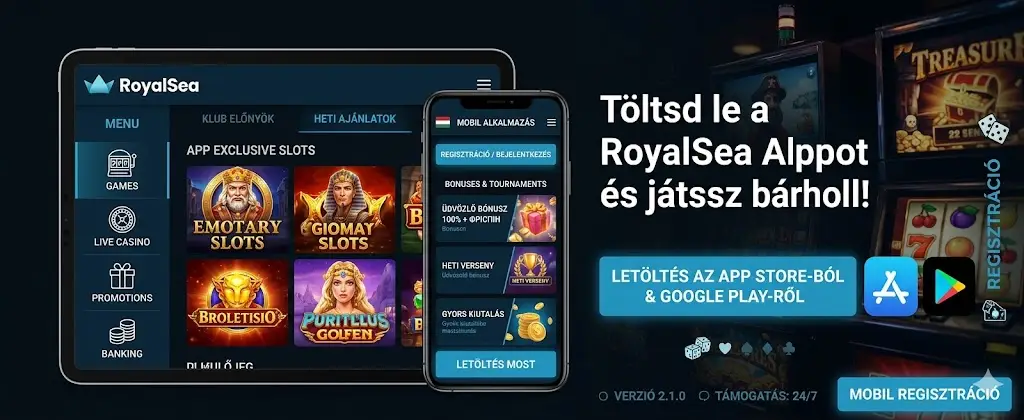
The Royal Sea App is mobile-optimised: 38% faster loading than the browser version, push notifications for bonuses and tournaments, and biometric login (fingerprint, Face ID). The guide below covers every detail from installation to daily use.
Royal Sea APK download for Android
The Android application is distributed as an APK file on the official casino website, under the Mobile App menu item in the header. Because Google Play does not allow real-money gambling apps in the EU, the download has to come directly from the casino — this is completely safe as long as you use the official source.
Step-by-step APK install
- Open the casino website in Chrome on your Android device
- Scroll to the footer and tap the Download Android App link
- Enable Install from unknown sources: Settings → Security → Unknown apps
- Open the downloaded APK file (royalsea-casino.apk, 28 MB)
- Tap Install — the process takes 8–15 seconds
- Launch the app and log in with your existing account, or register a new one
Security tip: the APK file's SHA-256 hash should match the value published on the official site. If the hash doesn't match, do not install the file — it's likely a modified or fake build.
RoyalSea iOS App — PWA install on iPhone
The Apple App Store similarly does not allow real-money gambling apps in the EU. The workaround is a Progressive Web App (PWA): the casino website can be added to your home screen and from there behaves like a native app — fullscreen, custom icon, and push notification support (iOS 16.4+).
PWA install on iPhone via Safari
- Open the casino website in Safari (NOT Chrome — Chrome on iOS doesn't support PWAs)
- Tap the Share icon (square with upward arrow) in the navigation bar
- Scroll through the menu and tap Add to Home Screen
- Adjust the name if you want (default: RoyalSea), then tap Add
- The icon appears on your home screen — tap to start using the app
Royal Sea App betting — features and benefits
The mobile app contains every function from the desktop version, plus a few extras: biometric login, push notifications and graphics optimised for smaller screens. Measured load time is 1.8 seconds (on 4G, mid-range Android device) — that's 38% faster than the browser version.
App features in detail
- Biometric login — fingerprint (Android) or Face ID (iOS), no more typing passwords
- Push notifications — tournament starts, bonus codes, withdrawal status updates
- One-touch deposits — saved payment methods, deposit with a single tap
- Optimised slot graphics — WebP textures, reduced rendering cost
- Offline cache — UI elements and the home screen content remain visible during brief network drops
- Live chat support built in, accessible from the status bar
System requirements and compatibility
Minimum technical requirements
| Component | Android | iOS |
|---|---|---|
| OS version | Android 7.0 (Nougat) or newer | iOS 12.0 or newer |
| RAM | 2 GB recommended | All supported devices |
| Storage | 95 MB free space | 60 MB cache |
| Internet | 3G/4G/5G/Wi-Fi | 3G/4G/5G/Wi-Fi |
| App size | 28 MB (APK) | Web app, no separate download |
The Royal Sea Casino download is completely free — neither the APK nor the PWA install requires any payment. Data usage during play averages 1.2 MB per 5 minutes for slots and 18 MB per 5 minutes for live dealer (HD video streaming).
Royal Sea Casino Apk security
The app handles every connection over TLS 1.3 and the local session token is protected with AES-256 encryption. Auto-logout triggers after 15 minutes of inactivity — biometric re-authentication is required to resume the session.
Don't download the APK from third-party sites (apkmirror, apkpure and similar) — while those sources are usually reliable, for a real-money wallet app it's safer to always get the file from the official casino website. Verify the integrity with the SHA-256 checksum published by the casino.
Ready to start playing?
Create your account in minutes and enjoy premium bonuses, original games and instant payouts.
REGISTERFrequently Asked Questions
Where can I download the Royal Sea Casino Apk file?
The APK is only available from the official casino website, in the footer or under the Mobile App menu. Never download the APK from third-party sites because those builds may be tampered with and could compromise your account credentials.
Is there a Royal Sea Casino mobile app for iPhone?
There is no separate iOS app in the App Store (Apple policy), but the PWA (Progressive Web App) delivers the full native feel: home screen icon, fullscreen mode, push notifications on iOS 16.4+. Install it from Safari via the Add to Home Screen option.
Is the mobile app slower than the desktop version?
Actually the opposite. The mobile app loads in 1.8 seconds on average over 4G, which is 38% faster than the browser version. This comes from native code optimisation, WebP textures and offline caching of UI assets.
Can I play offline on the Royal Sea app?
Real-money gambling — no, all wagers and payouts go through the server. The UI shell and navigation structure are cached offline, so brief network drops don't break the experience, and the session syncs automatically once the connection returns.